
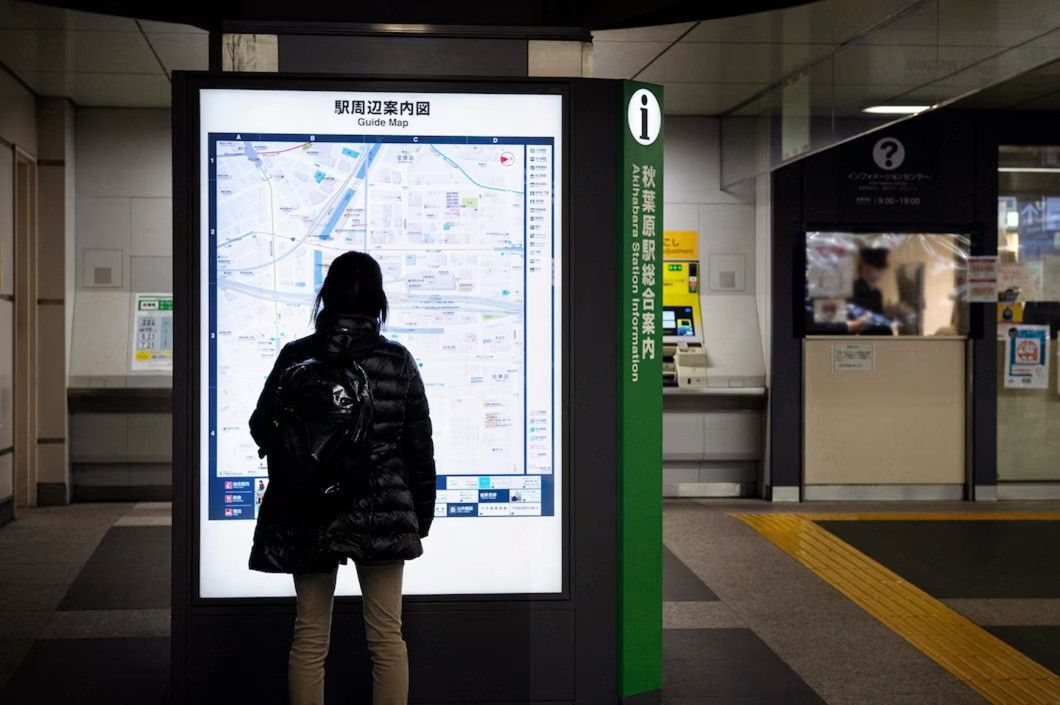
Finding your way around a large office block, hospital, shopping centre, or campus can be surprisingly stressful when the layout isn’t clear. This is exactly where wayfinding signs come in. They guide visitors, staff, and customers from one point to another without confusion, reducing frustration and helping every commercial building function more smoothly. Whether it’s a simple directional arrow or a fully interactive digital kiosk, wayfinding signs play a quiet but essential role in the day-to-day experience of a building.
In this guide, we’ll walk through what wayfinding signs actually are, the different types available for modern commercial spaces, where they work best, and how to design them properly. We’ll also look at how digital technology is changing the way organisations approach navigation, and answer some of the most common questions building managers ask before investing in a new signage system.
What Are Wayfinding Signs and Why Do They Matter?
Wayfinding signs are visual tools designed to help people orient themselves and move confidently through a physical space. They range from basic printed directories to fully digital, interactive displays that respond to touch and update content in real time. In commercial buildings, good wayfinding isn’t just a nice-to-have; it directly affects how visitors perceive an organisation, how efficiently staff can direct people, and how safely a building can be evacuated during an emergency.
A well-planned wayfinding strategy considers the entire visitor journey, from the car park to the front desk and beyond. Businesses increasingly turn to digital signage UK providers to combine navigation with branding, since a screen can display directions alongside promotional or informational content. This dual purpose makes digital wayfinding particularly attractive for businesses that want to make the most of every screen they install.
Without clear signage, buildings can feel disorganised and unwelcoming, no matter how impressive the architecture. Visitors who get lost are more likely to arrive late for appointments, feel anxious, or form a poor first impression of the organisation. For staff, unclear layouts mean more time spent giving directions instead of focusing on their actual work.
Types of Wayfinding Signs Used in Commercial Buildings
There isn’t a single approach to wayfinding that suits every building. The right combination of sign types depends on the size of the space, the number of daily visitors, and how frequently the information needs to change.
Static Directional Signage
Static signs are the traditional building blocks of wayfinding. They include wall-mounted directories, floor plans, room numbers, and directional arrows. These signs are dependable and cost-effective, but they cannot be updated quickly if a department moves or an event changes location.
Digital Wayfinding Displays
Digital signage display technology has transformed how larger buildings manage navigation. Interactive touchscreens allow visitors to search for a destination, view step-by-step directions, and even receive estimated walking times. Because content is managed centrally, updates can be pushed instantly across every screen in the building, which is particularly useful for venues with frequently changing layouts, such as exhibition centres or hospitals.
Hybrid Signage Systems
Many commercial buildings combine both approaches. Static signs handle simple, permanent information like fire exits and toilets, while digital displays are reserved for detailed directories, interactive maps, and dynamic content. This hybrid model balances reliability with flexibility, giving facilities teams a system that copes with everyday changes without abandoning the dependability of fixed signage for critical safety information.
The right mix ultimately depends on how often a building’s layout or occupants change. A single-tenant office with a stable floor plan may only need a handful of digital touchpoints alongside static directories, while a multi-tenant business park or shopping centre, where units regularly change hands, will benefit from a system that leans more heavily on digital updates.
Key Benefits of Digital Wayfinding Signage for Businesses
Choosing digital over purely static signage brings a range of practical advantages, particularly for larger or multi-tenant buildings where information changes regularly. Digital signage display screens can be updated remotely, meaning a facilities team doesn’t need to reprint or physically replace signs every time something changes. This saves considerable time and reduces the risk of visitors following outdated directions.
Beyond convenience, digital wayfinding also supports accessibility. Screens can offer larger text, multiple languages, and audio assistance, making navigation easier for visitors with different needs. Many organisations also use these interactive flat panels to combine wayfinding with useful extras such as weather updates, building announcements, or event schedules, adding genuine value beyond simple direction-giving.
Some of the most noticeable benefits include:
- Instant content updates across multiple locations without reprinting costs
- Reduced visitor confusion, which lowers pressure on reception and security staff
- The ability to display multilingual directions for international visitors
- Data insights into which destinations are searched for most often
- A more modern, professional impression for clients and guests
Where to Install Wayfinding Signs in Commercial Buildings
Placement is just as important as the design of the signage itself. A beautifully designed sign is only useful if it appears at the exact moment a visitor needs guidance. Building managers should map out every key decision point a visitor encounters, from entrances to lift lobbies, and ensure signage is positioned clearly at each stage.
Common installation points include:
- Main entrances and reception areas, where the visitor journey begins
- Lift lobbies and staircases, where people often need to choose a direction
- Long corridors or junctions, where confusion is most likely to occur
- Car parks and outdoor walkways leading into the building
- Shared facilities such as meeting rooms, canteens, and washrooms
Buildings with multiple floors or departments benefit from consistent signage placement on every level, so visitors can rely on a familiar pattern rather than learning a new layout each time they move between floors. Consistency reduces cognitive load and helps people navigate almost instinctively after their first visit.
Design Best Practices for Effective Wayfinding Signs
Good wayfinding design goes beyond simply pointing people in the right direction; it should be intuitive enough that visitors barely have to think about it. Clear typography, strong contrast, and consistent iconography all contribute to signage that people can read and understand at a glance, even from a distance or while walking.
Keep Messaging Simple and Consistent
Every sign should use the same terminology, colour coding, and symbols throughout the building. Mixing different naming conventions, such as calling the same area “Reception” on one sign and “Front Desk” on another, creates unnecessary confusion.
Prioritise Visibility and Placement Height
Signs should be positioned at a height and location that is easily visible to the average visitor, including wheelchair users, without being obstructed by furniture, plants, or other fixtures. For outdoor signage, weather resistance and brightness also need to be factored in so directions remain legible in direct sunlight or poor lighting conditions.
Test the System From a Visitor’s Perspective
Before finalising a wayfinding scheme, it helps to walk the building as a first-time visitor would. This often reveals gaps in signage that internal staff, who already know the layout, tend to overlook entirely.
Choosing the Right Indoor Digital Signage Display Screens for Wayfinding
Selecting appropriate hardware is just as important as the design itself. Indoor digital display screens used for wayfinding need to withstand continuous daily use, often running for extended hours without interruption. Brightness, resolution, and touch responsiveness should all be considered based on the environment the screen will be placed in, such as a busy lobby versus a quieter office corridor.
Durability matters too, particularly in high-traffic public areas where screens may be touched frequently throughout the day. Businesses often choose indoor digital totems for open floor areas because their freestanding design allows flexible placement without requiring wall mounting, which is especially useful in lobbies, atriums, and shopping centre concourses.
When evaluating hardware, building managers should also think about long-term content management. A screen is only as useful as the software behind it, so the ability to update maps, add new destinations, and adjust branding easily should be a key part of the decision-making process.
It is also worth thinking beyond the initial installation. Screens used for wayfinding are typically running throughout opening hours, so components should be built for sustained daily use rather than occasional display purposes. Facilities teams should also consider how easily a supplier can support the system over time, including access to spare parts, technical guidance, and software updates, since a wayfinding network that falls out of date quickly loses much of its value to visitors and staff alike.
Conclusion
Clear, well-designed wayfinding signs make a genuine difference to how people experience a commercial building, from the very first step through the entrance to finding the right room or department. Whether a business relies on static directories, fully digital displays, or a hybrid of both, the goal remains the same: helping visitors move through the space with confidence and ease. Thoughtful placement, consistent design, and the right hardware all play a part in building a system that actually works for the people using it every day.
If your organisation is planning a new wayfinding system or looking to upgrade outdated signage, Beten can help design a solution suited to your building’s layout and daily footfall. Get in touch with our team today to discuss how the right wayfinding signs can improve navigation, safety, and the overall visitor experience across your commercial space.
Frequently Asked Questions
1. What is the main purpose of wayfinding signs in a commercial building?
Wayfinding signs help visitors and staff navigate a building confidently without needing to ask for directions. They reduce confusion at entrances, lift lobbies, and corridors, improving the overall visitor experience. In larger buildings, they also support safety by clearly marking exits and key facilities.
2. Are digital wayfinding signs better than static signs?
Digital signs offer flexibility that static signs cannot match, since content can be updated instantly without reprinting. However, static signs remain reliable for permanent information like fire exits. Many buildings use a combination of both to balance cost and adaptability.
3. How do I decide where to place wayfinding signs?
Signage should be placed at every key decision point, such as entrances, junctions, and lift lobbies. Mapping the typical visitor journey helps identify where confusion is most likely to happen. Consistent placement across floors also makes navigation easier for repeat visitors.
4. Can wayfinding signage support multiple languages?
Yes, digital wayfinding displays can typically offer multilingual options, which is particularly useful for buildings with international visitors. This makes navigation more inclusive and reduces reliance on staff for translation or directions. Static signs can also include multiple languages, though updates are less flexible.
5. What features should I look for in indoor digital signage for wayfinding?
Look for reliable touch responsiveness, clear visibility in different lighting conditions, and software that allows easy content updates. Durability is also important in high-traffic areas where screens are used frequently throughout the day. Remote content management can save significant time for facilities teams.
6. How often should wayfinding signage be reviewed or updated?
It’s good practice to review signage whenever a building’s layout changes, such as department relocations or new tenant additions. Even without major changes, an annual review helps confirm that directions remain accurate and legible. Digital systems make this process considerably faster than replacing static signs.